Every dose, in its place.
Orlina keeps the vitamins and supplements you take in one list, reminds you at the times you set, and keeps a record of what you took. It works offline, with no account.
Coming soon to the App Store
See how a day looks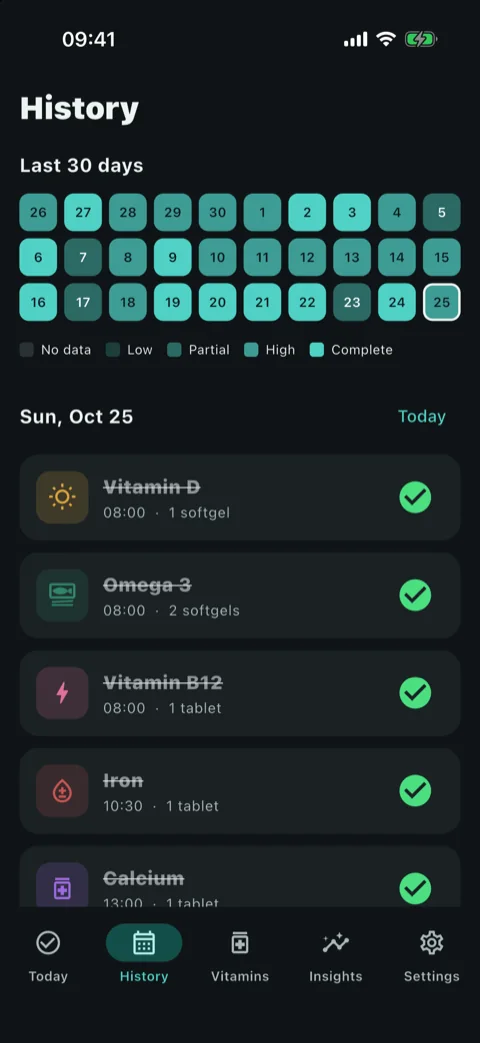
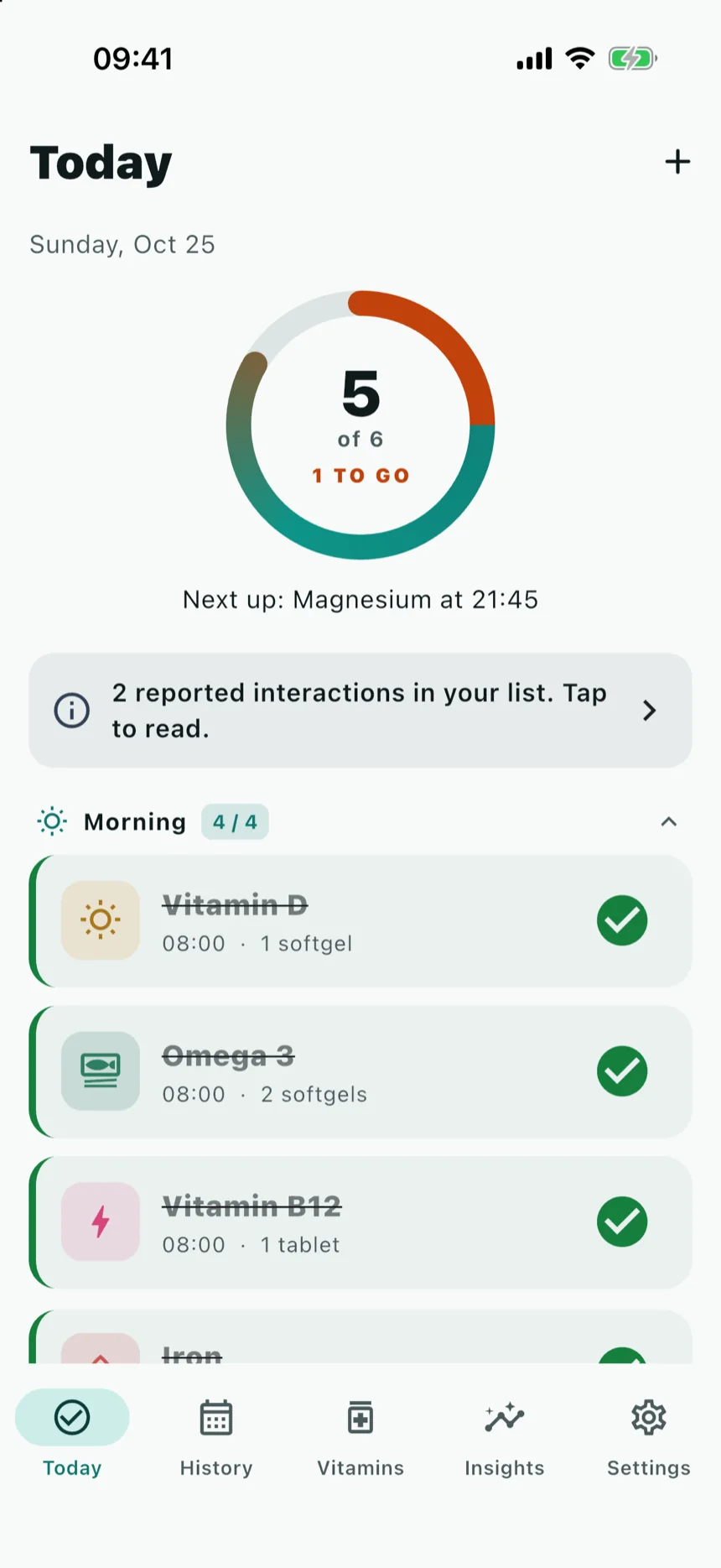
Your day, in four parts.
Today sorts your doses into morning, afternoon, evening and night. Tap a dose to log it. Long-press a heading to mark the whole morning at once.
-
Morning
4:00 to noon
- Vitamin D
- Omega 3
- Vitamin B12
- Iron
-
Afternoon
Noon to 17:00
- Calcium
-
Evening
17:00 to 21:00
Nothing scheduled
-
Night
21:00 to 4:00
- Magnesium
The example list here is the one shown in the app screenshots on this page.
Reminders at the times you chose.
Orlina reminds you when you planned to take each supplement. It never picks a time for you.
- At each time you set
- One reminder per dose, at the time on your list.
- A follow-up, if you want one
- If a dose still isn't logged, a second reminder after 30, 60, 90 or 120 minutes.
- An evening check-in
- A short count of what you logged today, at a time you pick. You can turn it off.
-

Vitamin D08:00
Time to take Vitamin D (1 softgel)
-
Reminder: Iron11:30
Not logged yet. Tap to mark it taken.
-
Evening check-in21:30
5 of 6 logged as taken today.
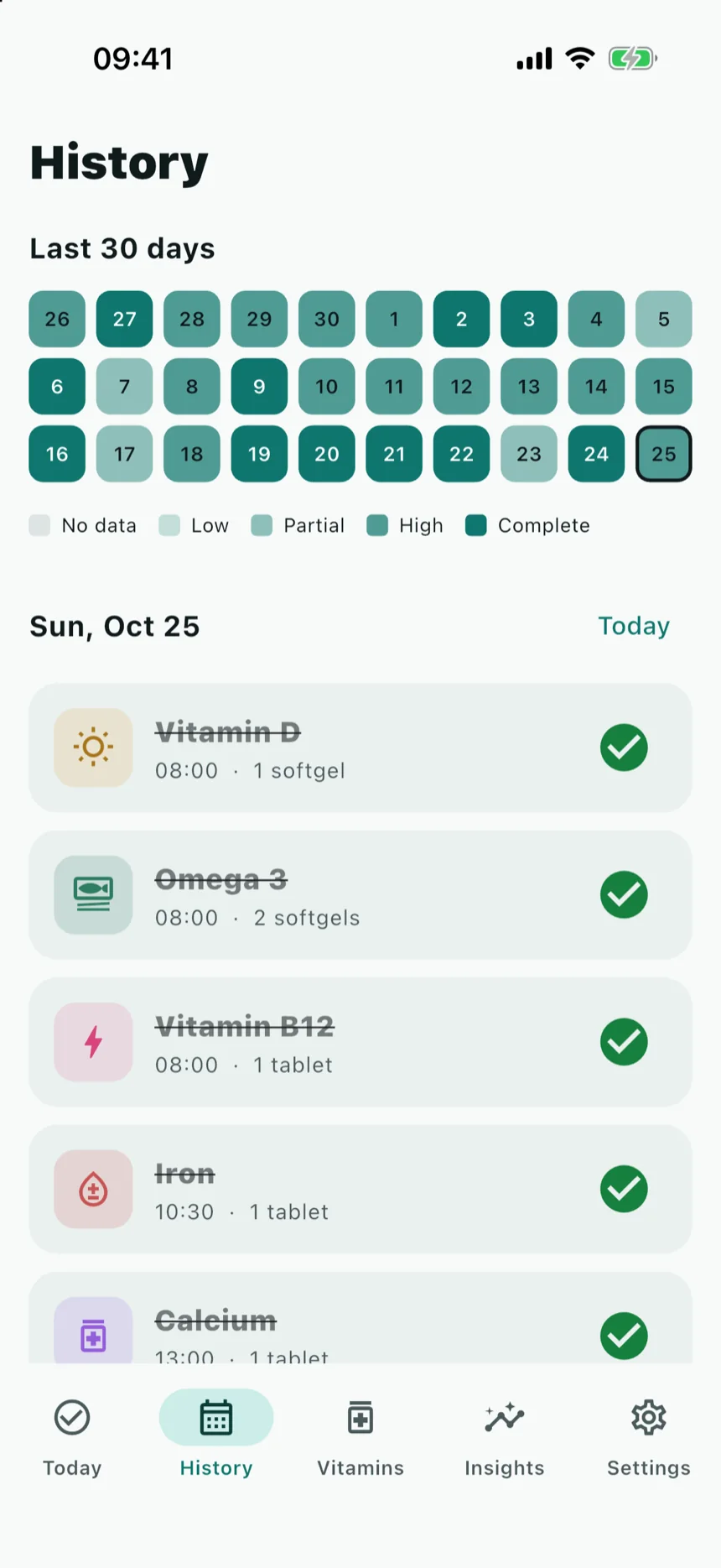
Thirty days, one square a day.
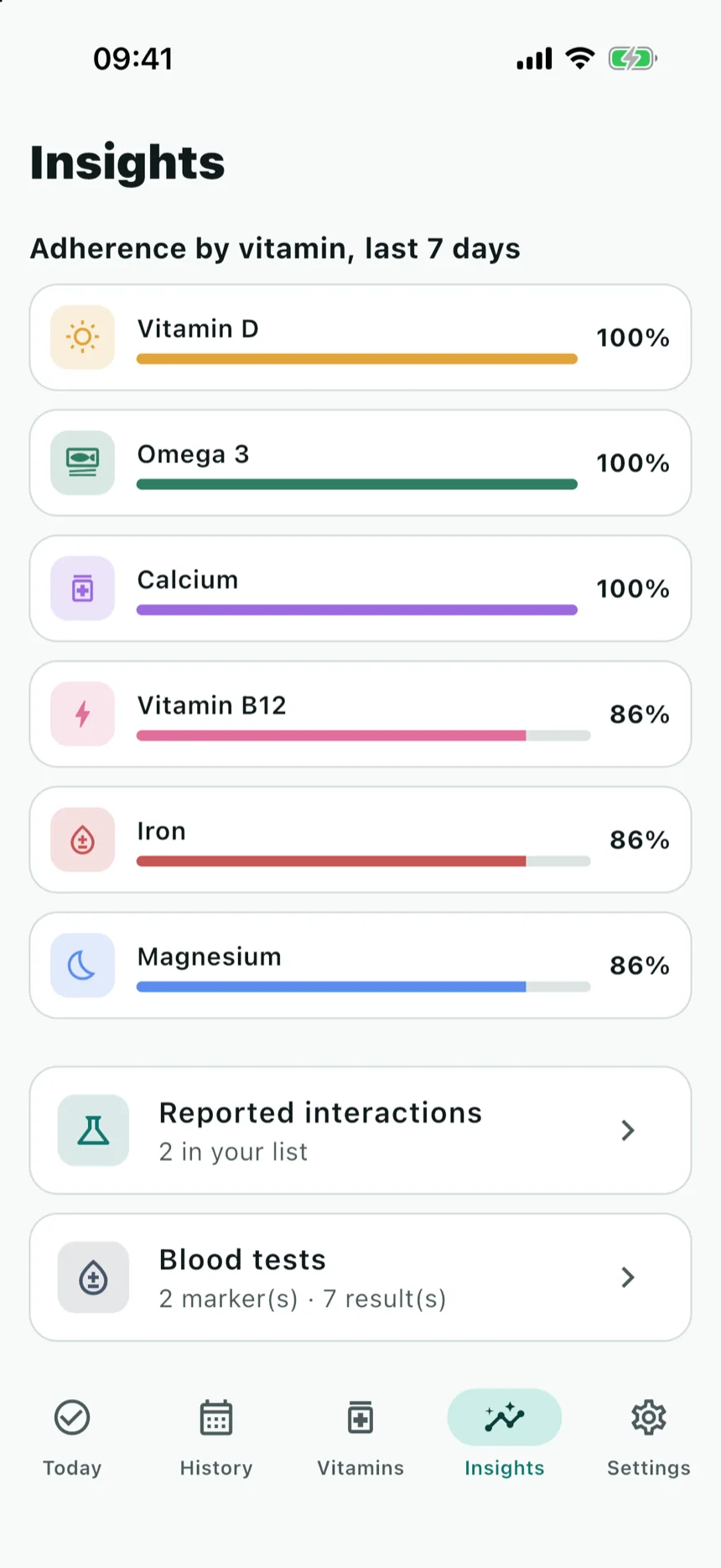
History colours each day by how much of your list you logged. Tap a square to see that day's doses. Insights shows how often you took each supplement over the last seven days.
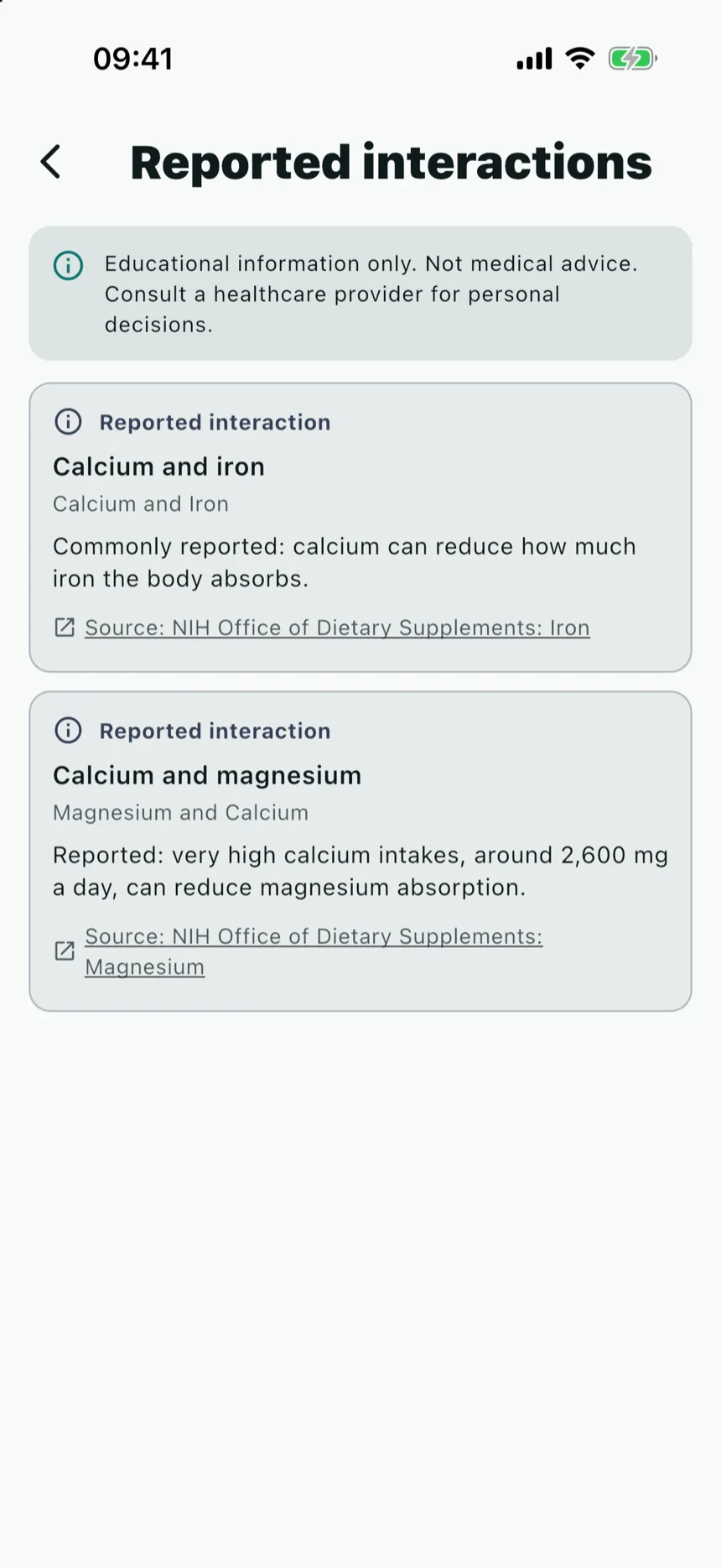
Facts, with the source attached.
When two things you take appear together in Orlina's list of reported interactions, the app shows it — with a link to the public fact sheet it comes from. The list also covers common medications you add, such as warfarin.
The sources are government health sites:
- NIH Office of Dietary Supplements
- National Center for Complementary and Integrative Health
- MedlinePlus
Orlina doesn't tell you what to take, how much, or when. That's between you and your doctor or pharmacist.
Bring your log to your next appointment.
- PDF report
- Your current supplements, your day-by-day log and any reported interactions, ready to share.
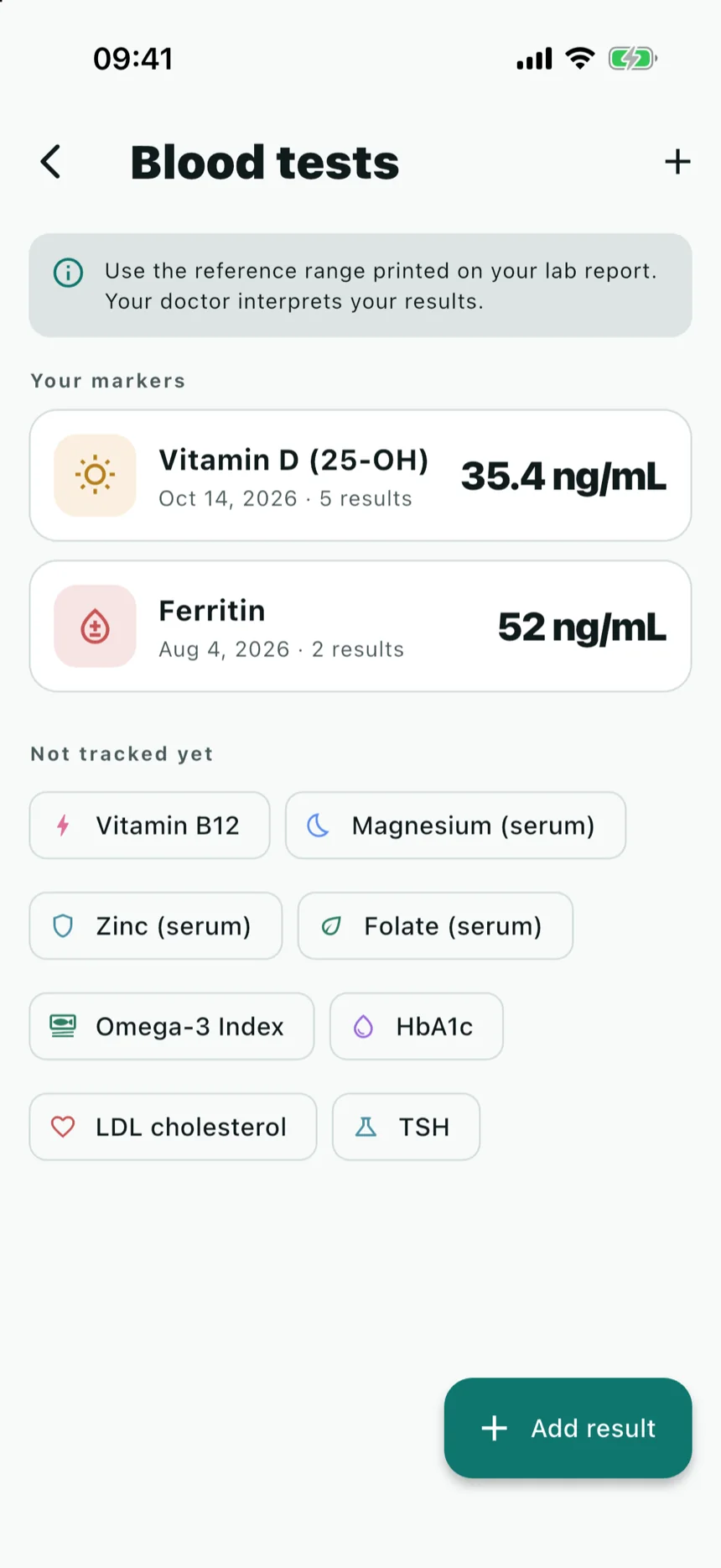
- Blood tests
- Log results such as vitamin D or ferritin and see them over time. Orlina shows the values; your doctor interprets them.
- CSV export
- The last 30 days of what you logged, as a spreadsheet.
Your list stays on your phone.
Orlina stores everything in a database on your iPhone. It works offline, and you don't need an account to use any of it.
Sign in with Apple or Google only if you want a cloud backup and sync between your devices, which are part of Orlina Pro.
Settings has a Delete my data button. It removes everything Orlina stored, and your account and backup too if you signed in.
Start with what you already take.
Add your supplements, set your times, and Orlina keeps the record.
Coming soon to the App Store